> ## Documentation Index
> Fetch the complete documentation index at: https://docs.pockla.io/llms.txt
> Use this file to discover all available pages before exploring further.
# Research Agent
> AI-powered research assistant for contacts and companies
The Research Agent is Pockla's AI assistant that researches contacts and companies, providing actionable insights for your outreach.
## What Is the Research Agent?
Unlike basic enrichment (which fills in standard fields), the Research Agent:
* Conducts deep web research on contacts and companies
* Synthesizes information into actionable insights
* Provides suggested talking points
* Identifies relevant news and events
* Surfaces connections and commonalities
## Using the Research Agent
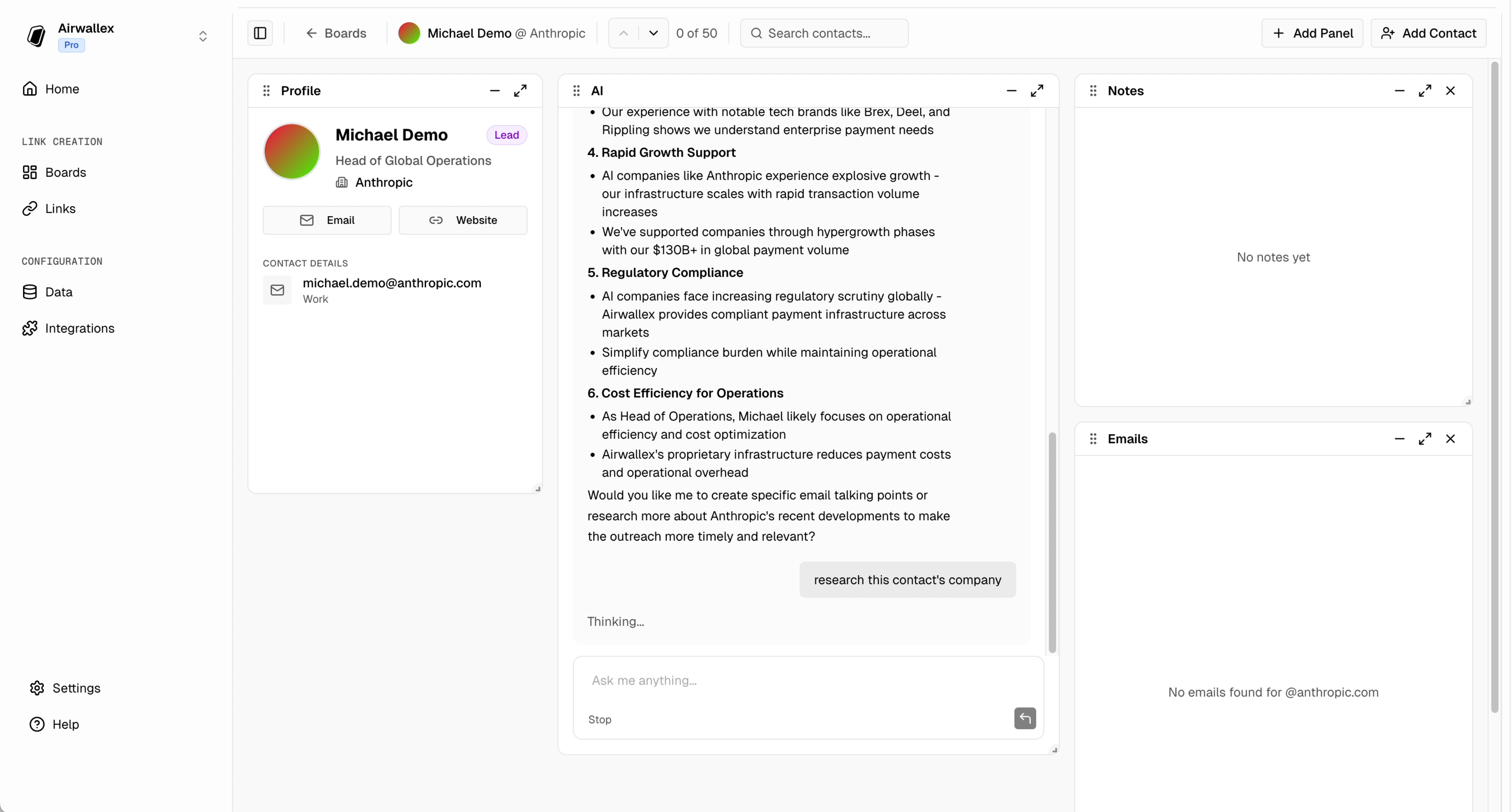
The Research Agent lives inside **Boards**. When viewing a contact:
1. Open a board
2. Click on a contact card
3. Use the **Board Agent** chat panel
4. Ask it to research the contact or company
 ### Example Prompts
> "Research this contact's company"
> "What's the latest news about this company?"
> "Find background on this person"
> "What are some good talking points for reaching out?"
## Research Output
### Company Research
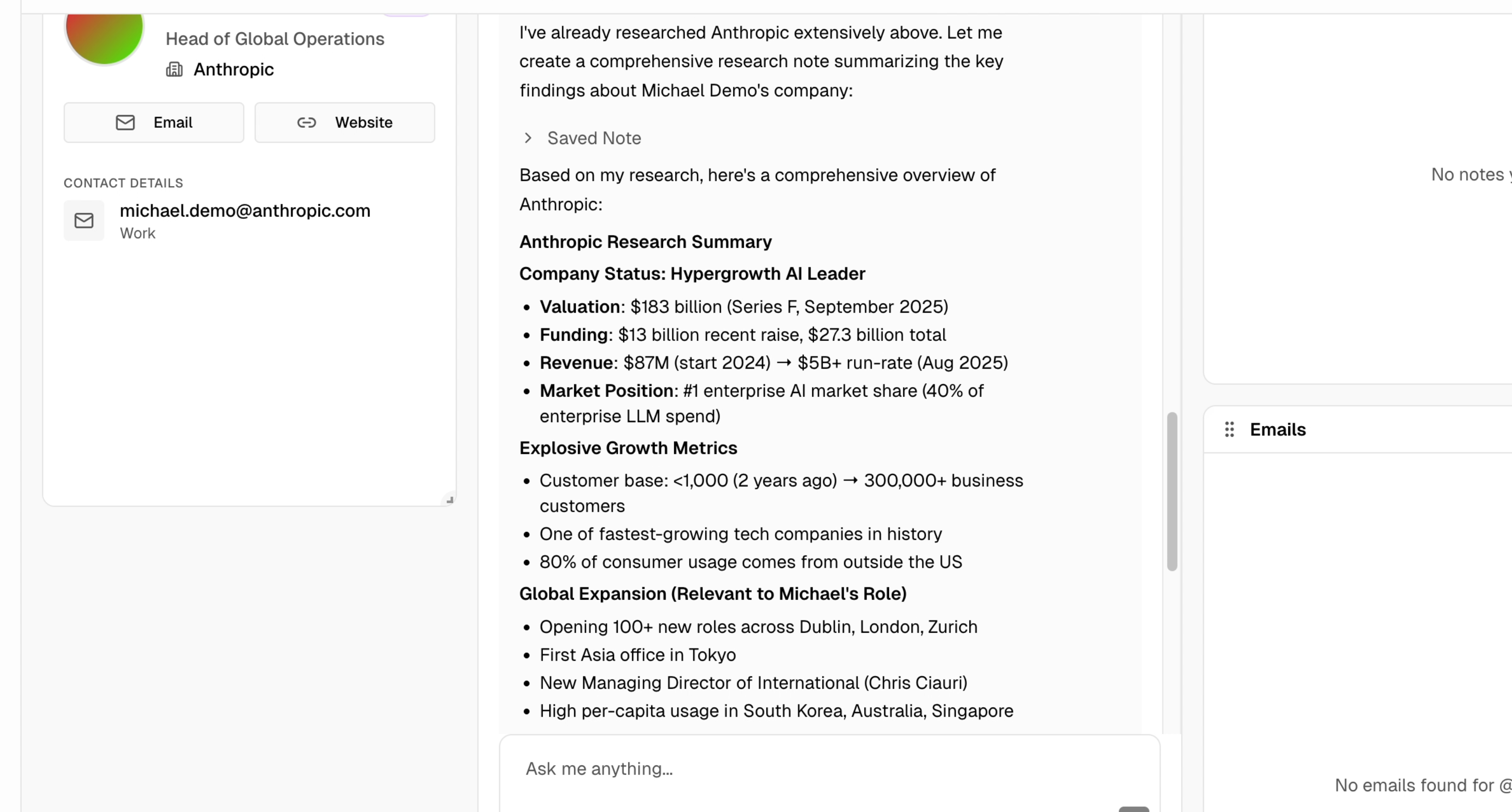
The agent can provide:
* **Company Overview**: What the company does
* **Recent News**: Latest press and announcements
* **Key People**: Leadership and relevant contacts
* **Industry Context**: Market position and competitors
* **Growth Signals**: Funding, hiring, expansion
### Example Prompts
> "Research this contact's company"
> "What's the latest news about this company?"
> "Find background on this person"
> "What are some good talking points for reaching out?"
## Research Output
### Company Research
The agent can provide:
* **Company Overview**: What the company does
* **Recent News**: Latest press and announcements
* **Key People**: Leadership and relevant contacts
* **Industry Context**: Market position and competitors
* **Growth Signals**: Funding, hiring, expansion
 ### Contact Research
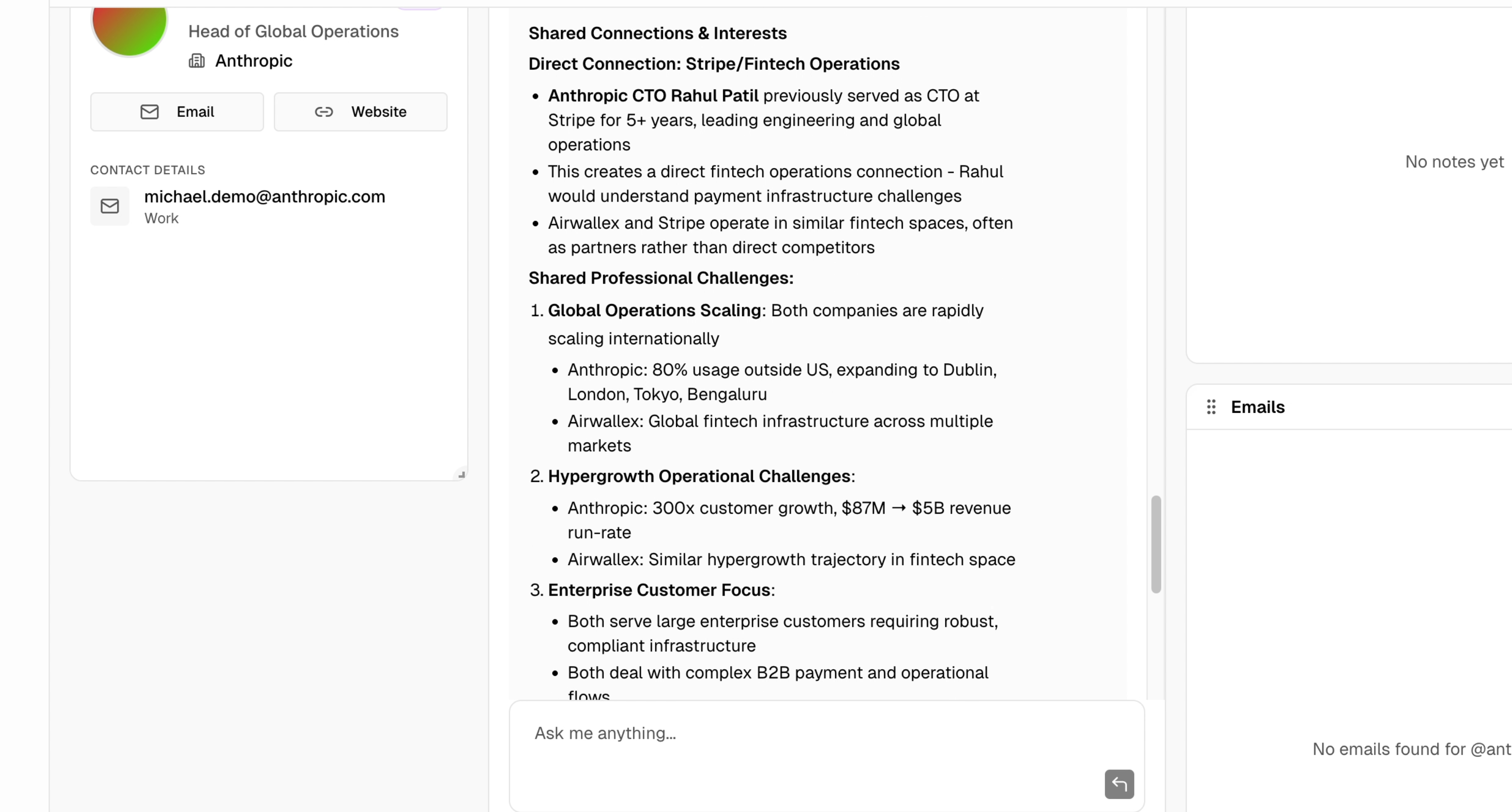
For individual contacts:
* **Background**: Career history and experience
* **Recent Activity**: Posts, articles, speaking events
* **Interests**: Topics they engage with
* **Connection Points**: Shared connections or interests
* **Talking Points**: Suggested conversation starters
### Contact Research
For individual contacts:
* **Background**: Career history and experience
* **Recent Activity**: Posts, articles, speaking events
* **Interests**: Topics they engage with
* **Connection Points**: Shared connections or interests
* **Talking Points**: Suggested conversation starters
 ## Research Agent Tools
The Research Agent has access to:
### Web Search
Searches the web for:
* Company websites
* News articles
* Press releases
* Blog posts
### Page Scraping
Reads and extracts information from:
* Company about pages
* News articles
* LinkedIn profiles (public)
## Best Practices
Run research before sending important emails. Personalized outreach based on research has significantly higher response rates.
Research takes time. Prioritize for key prospects and decision-makers.
AI research is a starting point. Review insights and add your own perspective before outreach.
Re-run research periodically for active deals, as company situations change.
## Limitations
* Research is based on publicly available information
* Recent events may not be immediately reflected
* Small or private companies may have limited data available
* Results depend on what's findable on the web
## Troubleshooting
* Ensure you're using the Board Agent chat panel
* Check if contact has sufficient data (email, company name)
* Try being more specific in your request
* Small or private companies have limited public data
* Try asking follow-up questions
* Add more contact details to improve results
* Ask the agent to search for recent news specifically
* Web search results reflect what's currently indexed
## Next Steps
Create boards to use Research Agent
Use research insights to draft emails
## Research Agent Tools
The Research Agent has access to:
### Web Search
Searches the web for:
* Company websites
* News articles
* Press releases
* Blog posts
### Page Scraping
Reads and extracts information from:
* Company about pages
* News articles
* LinkedIn profiles (public)
## Best Practices
Run research before sending important emails. Personalized outreach based on research has significantly higher response rates.
Research takes time. Prioritize for key prospects and decision-makers.
AI research is a starting point. Review insights and add your own perspective before outreach.
Re-run research periodically for active deals, as company situations change.
## Limitations
* Research is based on publicly available information
* Recent events may not be immediately reflected
* Small or private companies may have limited data available
* Results depend on what's findable on the web
## Troubleshooting
* Ensure you're using the Board Agent chat panel
* Check if contact has sufficient data (email, company name)
* Try being more specific in your request
* Small or private companies have limited public data
* Try asking follow-up questions
* Add more contact details to improve results
* Ask the agent to search for recent news specifically
* Web search results reflect what's currently indexed
## Next Steps
Create boards to use Research Agent
Use research insights to draft emails